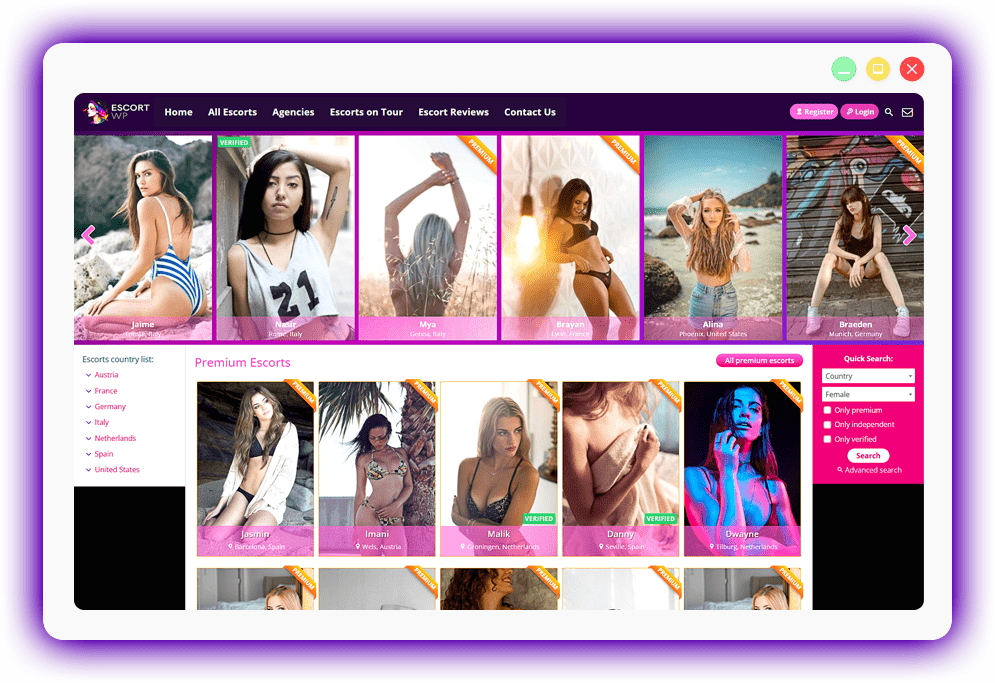
This theme will help you make your own escort directory in minutes. Once you install it you'll be ready to go. No need for a lot of configurations, no need for 10 extra plugins, just the theme. We built this theme based on client feedback and we'll continue to update the theme and make it even better.
The theme has 3 user types: Agencies, Independent Escorts & Members. The agency and escort profile names are customizable so you can choose any name you want for them. You can also chose the url structure for the profile pages. This means you can use the theme for other types of directories: photo-models, cam-models, massage parlors etc.
Once you install the theme your visitors will be able to register on your site. Depending on what they want to do on the site they will be able to register as either an agency, an independent escort or a normal member. All user types have different capabilities as described bellow.
All users register and edit their information from the front-end. At no time are they allowed to go in the WordPress dashboard so they will not even know you are using it.

The theme uses WooCommerce for the payments integration. This means you can use any payment processor that has a plugin for the WooCommerce plugin.
You can choose from a wide selection of payment settings. You can set a price for the premium status of an escort, the featured status, agency registration, escort registration, escort added by agency and VIP status for members.
You can choose to put all escort and agency registrations in moderation. The profiles will only become public after an admin activates them. You can also choose to have them become public immediately. Setting a price for the registration will only activate the profiles after payment.
Escorts will be able to register in your escort directory site and add their full details. All escorts will have a profile page where they can add images, a description and a lot more details about themselves, and also their rates and services. All information they add is completely editable by the escorts directly from the front-end of the site.
Agencies can add more than one escort profile. All agencies have their own profile page that will show reviews for that agency and a list of escorts added by that agency. They have the same capabilities as the escorts and on top of that they will be able to edit all the escorts they have added.
Members are the ones who can add reviews to escorts or add reviews to agencies. They can also add escorts to their favorites and view the list in their account. If you activate the VIP member option then you can hide certain information from the escort profiles from the normal members and only VIP members will be able to see them. You can hide all the photos, the contact information or the ability to post a review. VIP members will be able to to all of that.
The admin of the website can edit every escort right from the profile page. The admin can add/delete images, add tours or delete escorts.
We have included a detailed documentation file along with the theme. You will learn what all the settings from the admin pages are used for and how the theme works.
 v3.6.2